Download
I want it all, I want it now!
Please Donate
Help with the considerable costs:
- Hardware , lots and lots of it,
- Software , sadly not free (Windows, Visual Studio, Intel IPP, ...).
- And then there's the dog food ! There's a new dog here, his name is George and he likes food and balls!
So if you like the SDR software I write please consider a donation, at least to stop my dog from getting too hungry.

PayPal
GBP
US$
Euro
With PayPal so you are 100% protected.
Either
- Select a currency on the left and make a PayPal purchase, for any amount,
- Send money via PayPal to simon@sdr-radio.com which saves the PayPal fees, or
- Use a Credit Card - you do not need a PayPal account!
Download Safely
To download software safely, follow these key tips from reputable sources:
- Download from Legitimate Sources**: Ensure you download software from reputable websites or official app stores to minimize the risk of malware[2][3].
- Avoid Mirror Sites: Refrain from downloading software from mirror sites as they may contain extra junk or malware[2].
- Check App Stores: Utilize official app stores like Google Play Store, Apple App Store, or Microsoft Store for safer downloads[2].
- Scan Downloads: Use tools like VirusTotal to scan files for malware before installation[2].
- Check Website Securit*: Verify that the website is secure with SSL/TLS certificates before downloading software[3].
- Review Permissions: Pay attention to the permissions requested by apps to avoid granting unnecessary access to your data[5].
By following these precautions, you can enhance your online safety and reduce the risk of downloading malicious software.
Citations:
[1] https://www.lifewire.com/how-to-safely-download-install-software-2625183
[2] https://www.howtogeek.com/how-to-stay-safe-when-downloading-software/
[3] https://codesigningstore.com/how-to-tell-a-download-is-safe
[4] https://allaboutcookies.org/download-files-safely
[5] https://www.iberdrola.com/innovation/app-permissions-and-secure-downloads
Digital Signature
Code signing is a process used by software developers to digitally sign their applications, drivers, and executables to assure end-users that the code has not been altered or compromised by a third party. This is achieved through the use of code signing certificates, which include the developer's signature, company name, and a timestamp if desired. By digitally signing their code, developers can help users verify the authenticity and integrity of their software, thereby protecting against fraud, malware, and theft[1][2].
Code signing certificates are used to inform users that the software is legitimate, comes from a known vendor, and has not been tampered with since being published. They also help in avoiding security alerts and warning messages during download and installation, thus providing users with peace of mind when accessing the software online[2].
The process of code signing involves applying a digital signature to the software or application before its release. This signature is used to assure users that they are receiving genuine and unaltered software. The use of code signing certificates can also help in increasing the number of software downloads and improving the brand image of the software developer[4].
In practical terms, code signing certificates work by attaching a unique digital signature to executable files before they are published. When a user encounters the signed code, their system software or application uses a public key to decrypt the signature and compare the hash used to sign the code with the hash on the downloaded code. If there is a mismatch, it can generate an error or prevent the download, depending on the platform, application, and client security settings[5].
Citations:
[1] https://www.digicert.com/signing/code-signing-certificates
[2] https://www.globalsign.com/en/code-signing-certificate/what-is-code-signing
[3] https://www.encryptionconsulting.com/education-center/what-is-code-signing/
[4] https://www.computer.org/publications/tech-news/trends/what-is-a-code-signing-certificate/
[5] https://www.thawte.com/resources/getting-started/how-code-signing-works/
Developer Benefits
The benefits of code signing for software developers include:
- Validates Code Integrity: Code signing provides an integrity check of the code using a hash function[1].
- Ensures Security: It helps in protecting the software and applications at every stage of their lifecycle – development, build, distribution, and maintenance[2].
- Promotes User Trust: It fosters customer trust by providing proof of the authenticity and integrity of the software[2].
- Upholds Brand Reputation: It prominently displays the name of the publisher on the install screen, alleviating the end user's concern over only downloading from trusted sources[2].
- Protects Intellectual Property: It helps in preventing malware injection, software and code tampering, and impersonation attacks[2].
In summary, code signing offers developers a way to validate the integrity of their code, promote user trust, uphold brand reputation, and protect their intellectual property.
Citations:
[1] https://www.encryptionconsulting.com/code-signing-top-5-benefits/
[2] https://www.appviewx.com/education-center/what-is-code-signing/
[3] https://www.globalsign.com/en/code-signing-certificate/what-is-code-signing
[4] https://www.entrust.com/-/media/documentation/whitepapers/importance-of-code-signing-wp.pdf?hash=C2ED15451ADAEF861359F4A4CACB6DC5&la=en
[5] https://signmycode.com/blog/what-is-code-signing-benefits-of-digicert-code-signing-certificate
Kits Are Signed
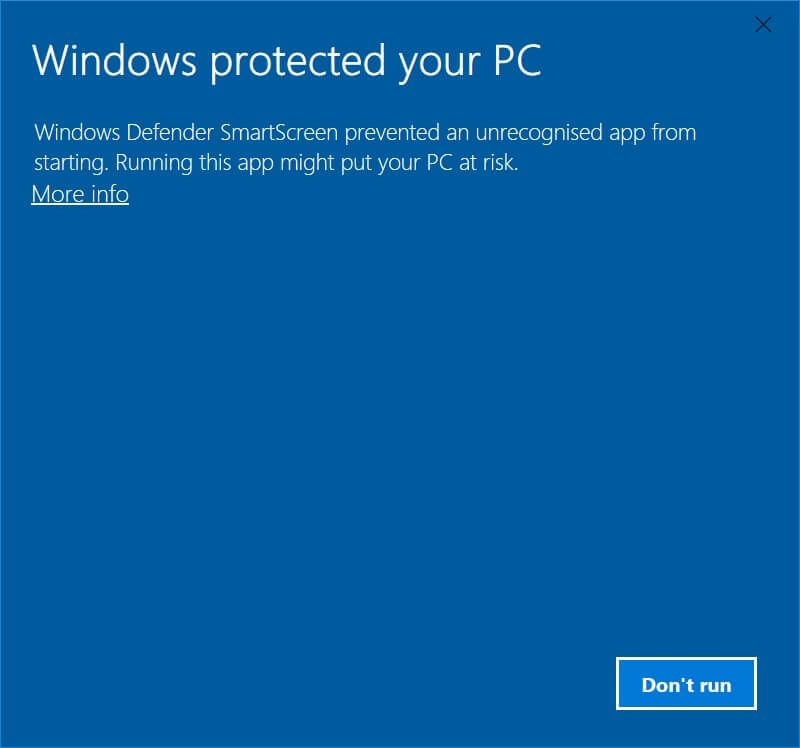
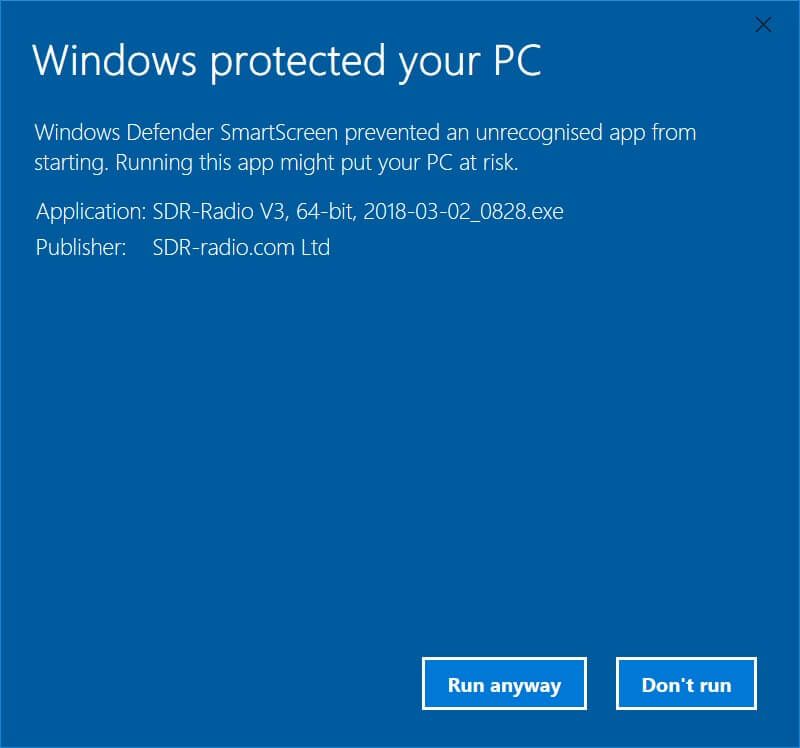
All kits on this site are signed, the certificates are below. If you see a popup window 'Windows protected your PC' when installing then click More info and check the publisher is shown as SDR-Radio.com Ltd.
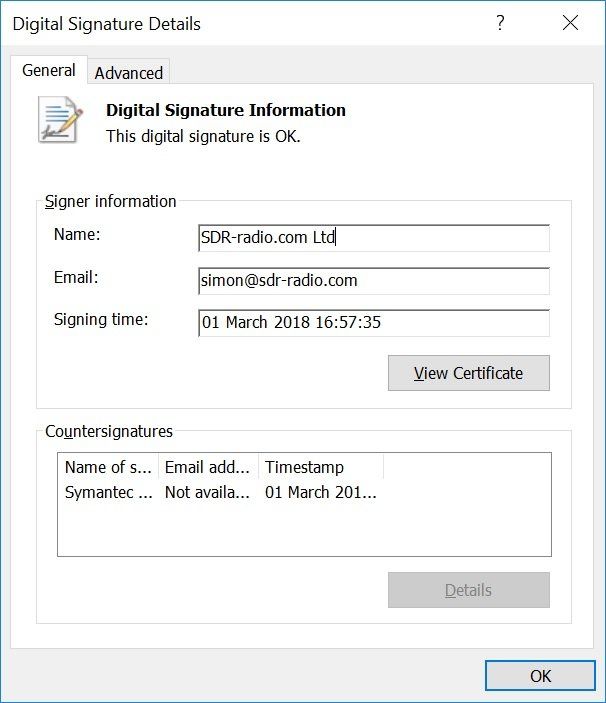
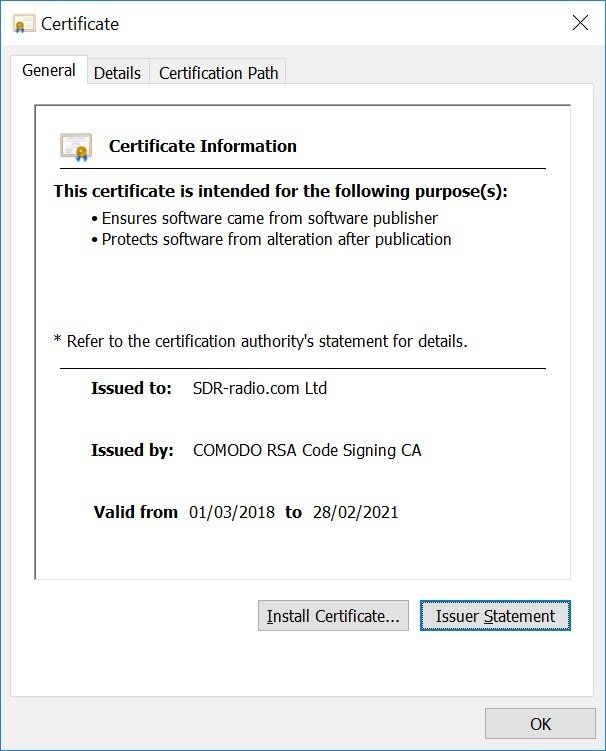
Windows 32-bit 64-bit Difference
The main difference between a 32-bit and a 64-bit Windows operating system lies in how they handle information. A 64-bit system can handle large amounts of random access memory (RAM) more effectively than a 32-bit system, making it more responsive when running several programs at the same time and switching between them frequently[2][4]. A 32-bit OS can only address a bit less than 4GB of memory in total, while a 64-bit OS can address more than 4GB of RAM, allowing for better performance, improved graphics, and enhanced security[3][5]. To check which version of Windows you have, you can right-click the Start button and select System in Windows 10, or click System in the Control Panel for Windows 7 and 8[4].
Citations:
[1] https://support.lenovo.com/gb/en/solutions/ht117173-how-to-know-if-my-computer-is-32-bit-or-64-bit-windows
[2] https://support.microsoft.com/en-gb/windows/32-bit-and-64-bit-windows-frequently-asked-questions-c6ca9541-8dce-4d48-0415-94a3faa2e13d
[3] https://www.pcmag.com/news/32-bit-vs-64-bit-oses-whats-the-difference
[4] https://www.pcworld.com/article/415719/why-it-matters-whether-your-windows-is-32-bit-or-64-bit.html
[5] https://www.hellotech.com/blog/whats-the-difference-between-32-bit-and-64-bit
Release
Below is the current release. Download from either
Microsoft or Dropbox as an executable or direct from this site as a ZIP (unpack and install the executable). Previous releases are
available here.
Installing
- Kits are cumulative,
- There is no need to uninstall a previous kit,
- All current settings are saved - nothing is lost,
- The Windows Start menu is rebuilt - any changes made are lost.
32-Bit, 64-Bit Kits
Separate kits are available for 32-bit and 64-bit versions of Windows.
If you are not sure whether you are using 32-bit or 64-bit Windows
follow this link to Microsoft's website .
Crashes
- If you experience a fatal crash (Please Wait is shown) please install the latest beta (if available).

3.3
February 5th, 2024
SDRPlay RSPdx-R2
May 22nd, 2024. This DLL supports the SDRplay RSPdx-R2, code-signed for safety.
- In SDR Console: select Ribbon bar, Tools, Files, Installation to open the installation folder.
- Close SDR Console.
- Extract SDRSourceSDRplayV3.dll from the ZIP.
- Replace SDRSourceSDRplayV3.dll with the new file from the ZIP.
- Start SDR Console.
This version is on Long Term Support (LTS); fatal errors and incorrect processing will be fixed, otherwise there will not be changes. This is to ensure stability.
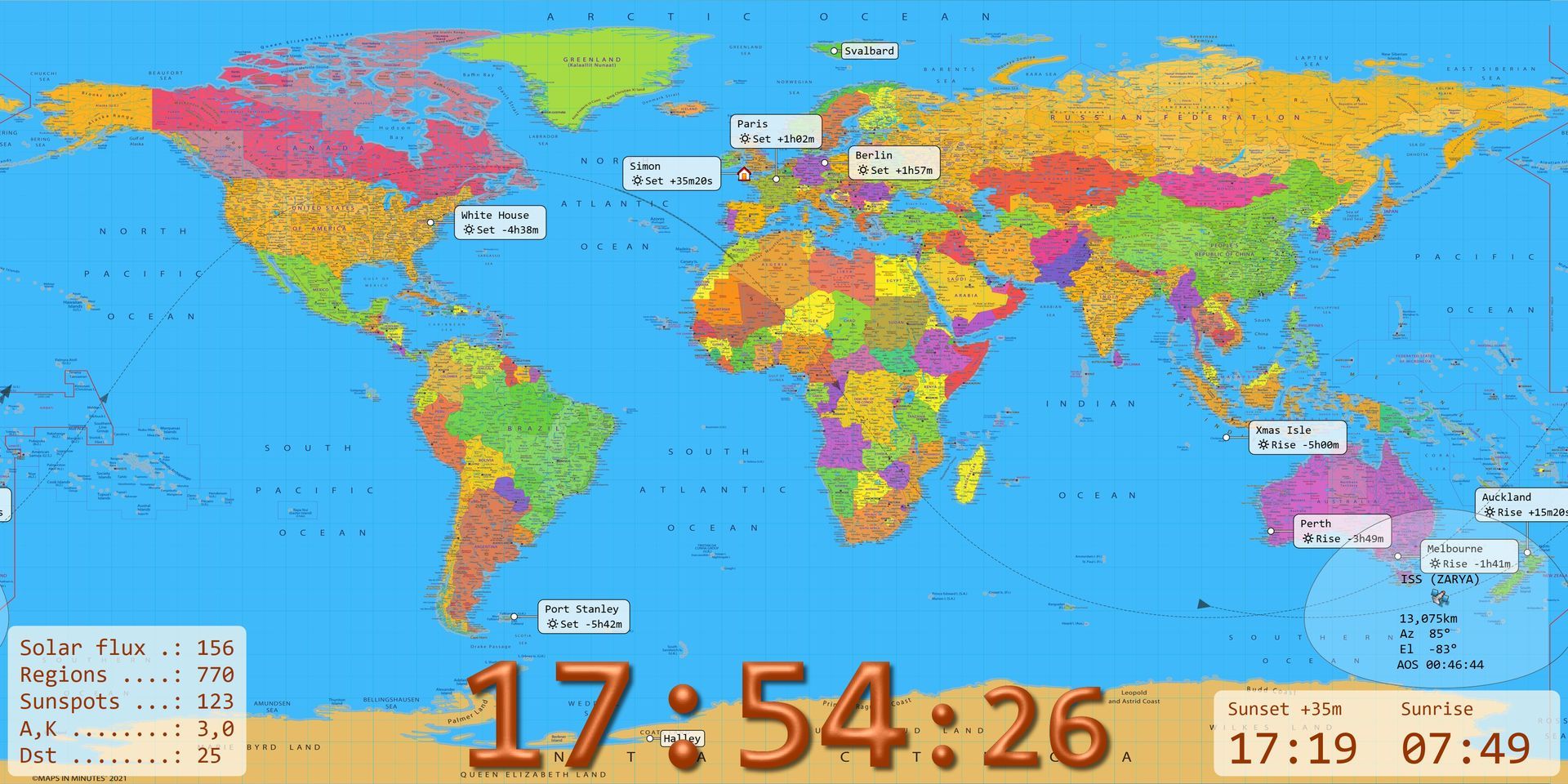
Simon's World Map
An ideal companion for SDR Console, world map is another free program available on this site.


Beta
These kits have been tested by the developer (!) and test team but may still have bugs; please report errors and ask questions in the support forums. Beta kits give you an opportunity to see new features; you can always return to the current release if needed. Once a beta kit is stable it will be officially released.
Beta 3.4
Build 4170
Simon's World Map
An ideal companion for SDR Console, world map is another free program available on this site.
Beta 3.4
Build 4138
Simon's World Map
An ideal companion for SDR Console, world map is another free program available on this site.
Beta 3.4
Build 3972
SDR Television
See me, hear me - another free program available on this site.
Beta 3.4
Build 3818
Recent Blog Posts






C++ Redistributables
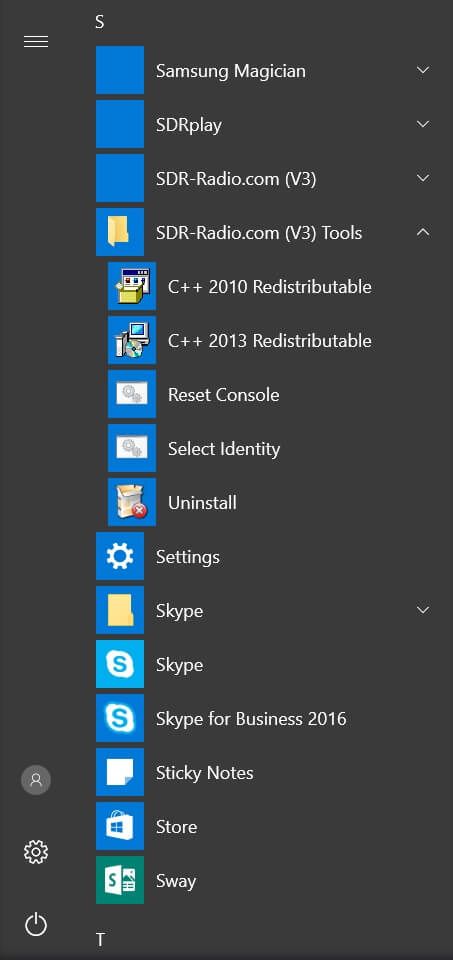
The software requires the C++ 2010, 2013 and 2019 redistributable kits from Microsoft, these are contained in the SDR-Radio.com kits and installed on your system as needed.
If you see an error message such as ' Msvcp120.dll not found ' when starting SDR Console then the 2013 kits must be reinstalled, if the message is ' Msvcp140.dll not found ' then the 2019 kit must be reinstalled.
- 120 => 2013 Redistributable
- 140 => 2019 Redistributable
To reinstall, select a kit from the SDR-Radio.com (V3) Tools entry in the Start Menu (see image).
- Uninstall, then
- Install.
⚠️ Never copy missing DLLs manually, always use the Redistributable kits.