SDR Television v1.0.6
SDR Television v1.0.6
February 13th, 2026: A new kit, lots of receive improvements since the last official kit. As with any software project, there's always room for improvements and new features, but for now here's a stable solution which works well with the QO-100 satellite.
Downloads are at the bottom of this page.
Release Notes
v1.0.6
Transmit
A FIR filter at the end of the IQ generation processing was too narrow and too sharp, must have been degrading reception of signals created with previous kits. This filter is now wider and uses fewer taps.
Pluto Support
(This is part of SDR Console.) The FIR filter support for the Pluto has been corrected:
- Images reduced if not completely removed.
- Transmit now works reliably when the Pluto bandwidth is greater than 2 MHz.
- The digital filter uses a FIR design from Analog Devices, taken from the file ad9361_baseband_auto_rate.c in the libad9361-iio library.
- The analog filter is unchanged. It will appear wider than expected to allow for roll-off.
With QO-100 and other DVB-S2 operation there really is little if any need for any filtering.
v1.0.5
Receive
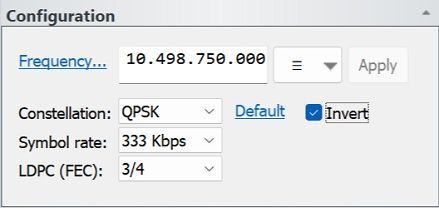
- Added optional inversion of the incoming signal inversion (swap I and Q).
Transmit
- Now setting the Quantization Parameter (QP) to the default value of 26. I had come across this before but never really understood what it does. I was just querying the value, not trying to set it.
https://www.oupree.com/knowledge/Whats-Quantization-Parameter-QP-in-Video-Encoder.html
v1.0.4
Receive
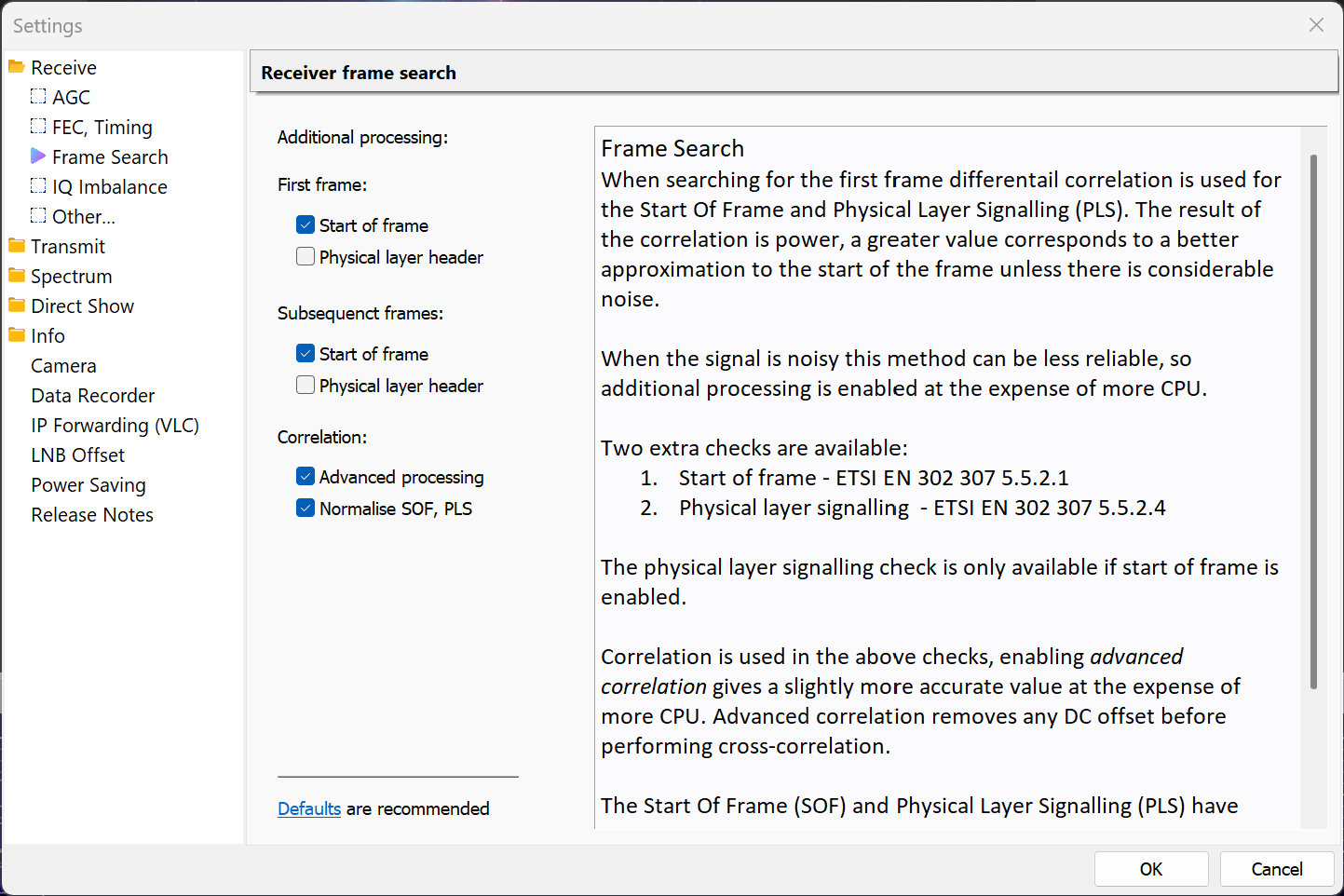
- Improved initial frequency detection when searching for a signal.
- Optional advanced signal detection options.
- Found and fixed a bug causing a lockup when a 188 byte packet checksum failed.
v1.0.3
Testing
- Added optional Gaussian noise when in loopback mode, this is for development use only.
User Interface
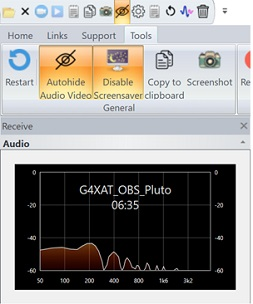
- Added display of elapsed time to the Receive Audio window. Gaps in reception of up to 10 seconds are allowed. Later use of AI may support a 'speech quality' metric, determined from quality and technical content.
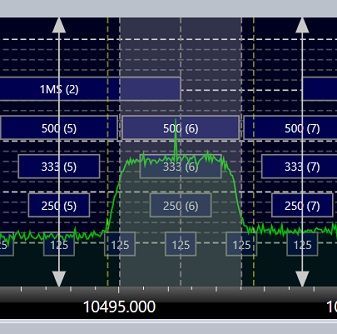
- Added tuning bars in the spectrum, these show the frequency and symbol rate for the current mouse position.
- Added extra categories in the Log window, now Main, Radio, Transmit, Debug.
- Audio and video windows optionally hide controls when the cursor leaves the corresponding window.
Receiver
- Added initial Gardner timing error detection (TED).
- Changed AGC algorithm, target output now ~0.7 using 32-bit IEEE floats.
- Redesign #1 of the IQ to Transport Stream (TS) processing, still plenty of refactoring to do.
- Changed default LDPC algorithm.
- Fixed BCH implementation which was not correcting any bits, also not detecting errors.
- Changed default matched filter (RRC) defaults.
- Added Quadrature Imbalance correction.
- Interpolation filter roll-off dynamically updated with the value in the base-band header byte MATYPE-1. This value is also shown in the Decoding overlay and Decode Status window.
- Refined the list of receive filter bandwidths.
AGC
- Added selectable reference level.
- Added alternative algorithm, Feed forward (the default algorithm is Feedback). Feed forward is experimental.
- Searching for a signal in the noise uses considerable CPU, especially at higher symbol rates. The spectrum data is now used to detect the possible presence of a signal, thus saving CPU while a signal is not present. When a signal is believed to be present:
- The arrows at the top, bottom of the bandwidth display are filled in,
- The receiver is enabled.
Transmit
- The transmitted BB Header roll-off value in byte MATYPE-1 now matches the roll-off value used in the filter, rather than preset to 0.35.
- Removed 12-bit camera formats, problem discovered using a new DELL laptop.
- Added optional transmit signal inversion (swap I and Q).
Pluto
- Pluto RX FIR Filter gain set to 6, example: "RX 3 GAIN 6 DEC 1 TX 3 GAIN 0 INT 1 ..."
- Removed Pluto/Libre bandwidths below 1.5 MHz.
- Changed filter taps for bandwidths above 2MHz, was 64 now 128. Signal is now cleaner, ~40dBm SNR.
From the AD9363 product sheet: "The AD9363 transmitters use a direct conversion architecture that achieves high modulation accuracy with ultralow noise. This transmitter design produces a best-in-class Tx EVM of −34 dB, allowing significant system margin for the external power amplifier (PA) selection."
v1.0.2
- Improved receiver sensitivity, still not as good as it can be.
v1.0.1
- Fixed fatal bug in receive audio AGC when the output device sample rate was 192kHz.
Download
This minimum version of SDR Radio is shown below. Only download if SDR Television displays an error message when starting.
SDR Television
Download v1.0.6 from either:
- OneDrive: SDR Television V1.0.6, 64-bit, 2026-02-13_0531.exe
- Dropbox: SDR Television V1.0.6, 64-bit, 2026-02-13_0531.exe
SDR Radio
V1.0.6 requires a SDR Radio 64-bit kit build 3972 February 10th, 2026 or any newer kit.
- OneDrive: SDR-Radio V3.4, 64-bit, 2026-02-11_1214.exe
- Dropbox: SDR-Radio V3.4, 64-bit, 2026-02-11_1214.exe