SDR Television - My Station

Simon Brown, G4ELI • May 6, 2025

Inside

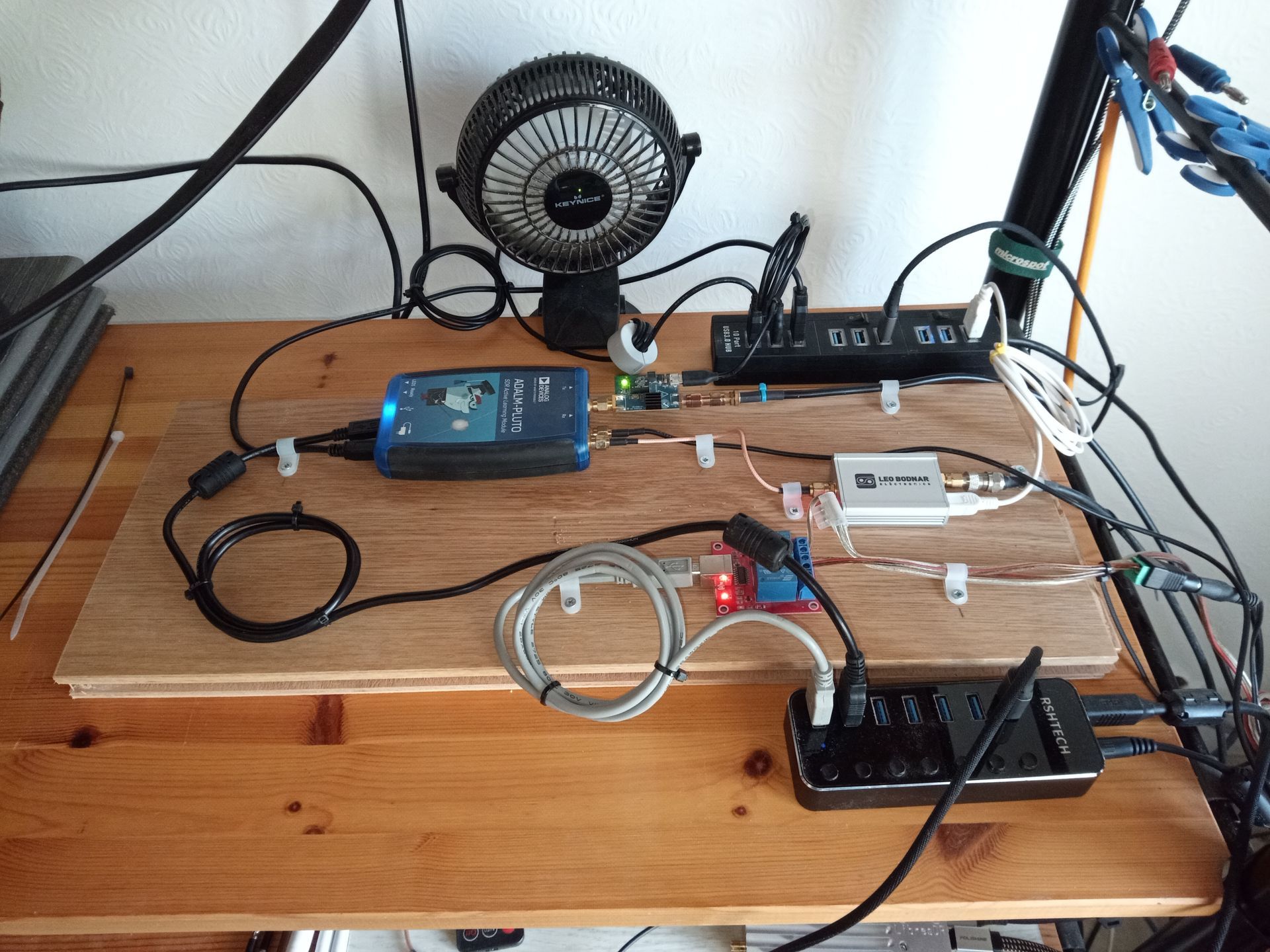
All this equipment is installed in my computer room, next to the office.

Some people mount on metal, I prefer wood, much easier! So, what do we see here?

  • Early ADALM Pluto version A/B modified by Matthias, DD1US to support a 40MHz reference.
  • Analog Devices CN0417 RF amplifier, powered by micro-USB, optimized to operate on 2400 MHz with 18dBm maximum output, gain of 20-21dB, an integrated bandpass filter 2400 to 2500Mhz. Powered by 5V directly via a micro-USB jack. RF input and output connector in SMA.
  • Leo Bodnar GPS reference.
  • USB relay board which switches the power amplifier.


Also you see two USB hubs, one supplying power only, the other connected to the computer. To keep everything cool a nice USB fan which runs at its lowest setting. The RSHTECH USB hub will soon be replaced, I've had two PSUs die, one generated massive HF interference which was only recently found.
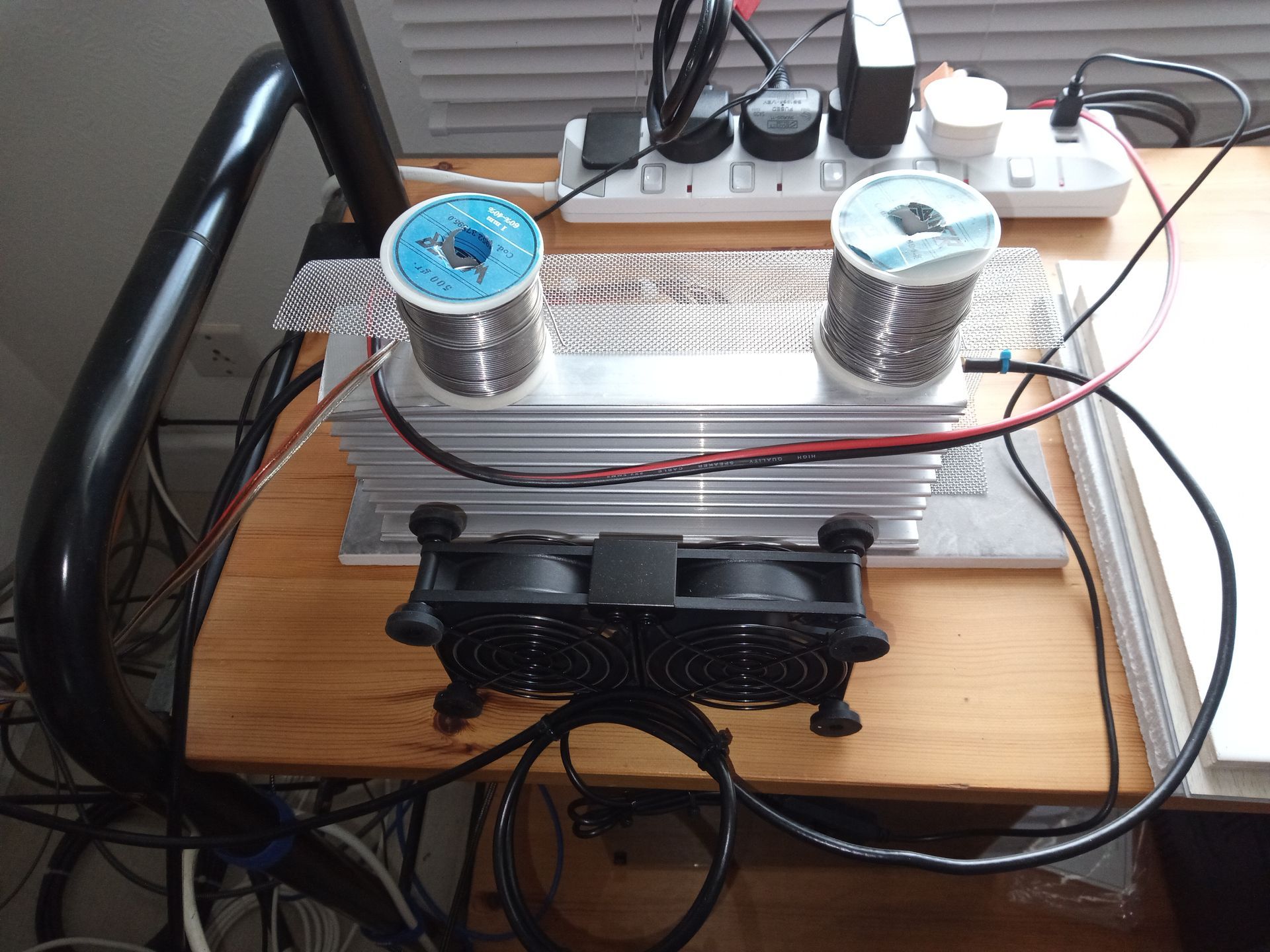
Now the power amplifier. This is a PowerBlast™ 300,  a compact, highly efficient, solid state power

amplifier that delivers over 250 watts of RF power over the 100MHz BW of ISM 2.45GHz

frequency band.


The amplifier accepts a nominal 22 dBm (160 mW) RF input and provides 33 dB of gain from

2400 MHz to 2500 MHz for continuous wave (CW) and constant envelope input signals. Based

on the latest and more mature LDMOS technology, this high power amplifier achieves drain

efficiency of 60% (final stage) and more than 57% in module level at rated power.


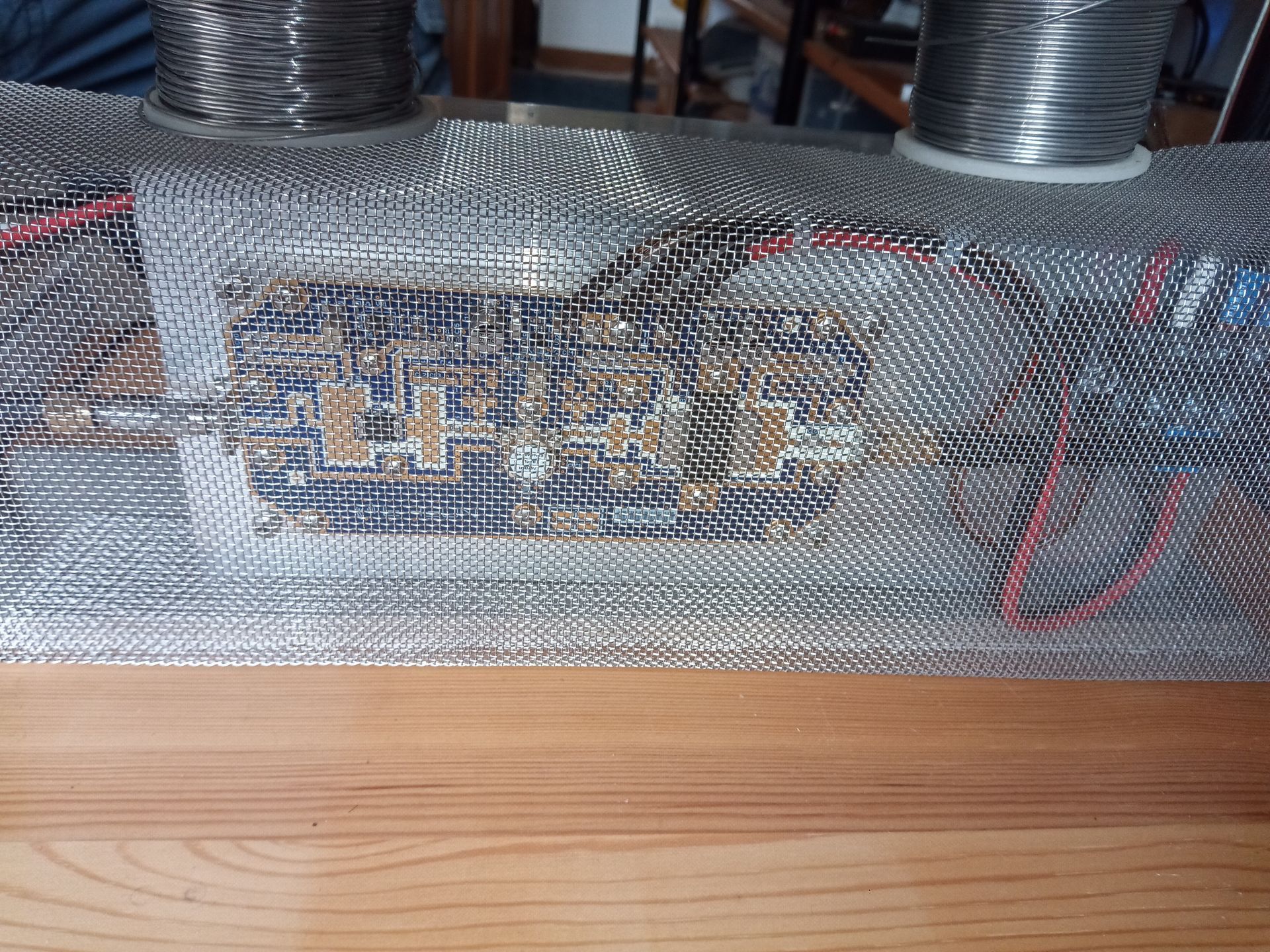
I haven't finished the screening, so it's held in place by two rolls of solder! Cooling comes from a pair of 80mm USB variable speed fans. Temperature does not exceed 35°C.


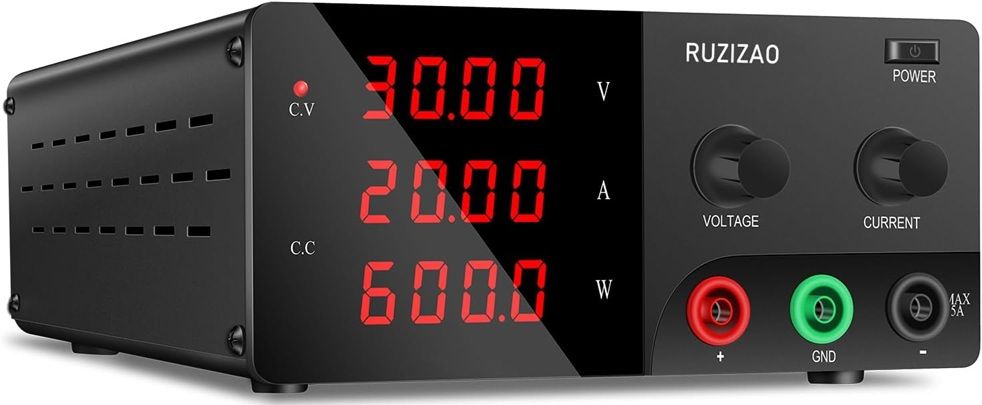
The power supply is a  RUZIZAO 30V 20A Bench Power Supply which runs at 28V. I like this device as it also shows the wattage.
Outside

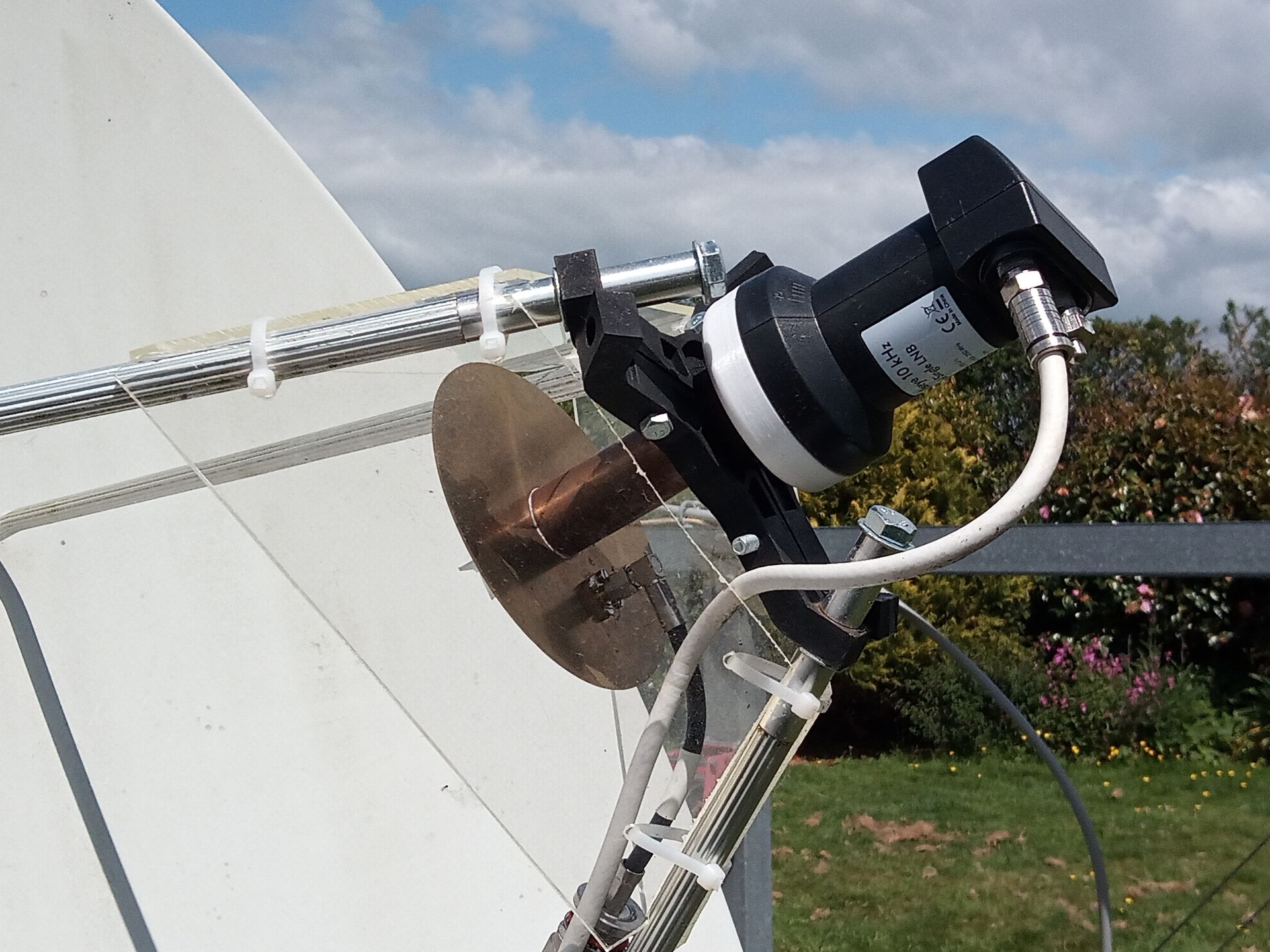
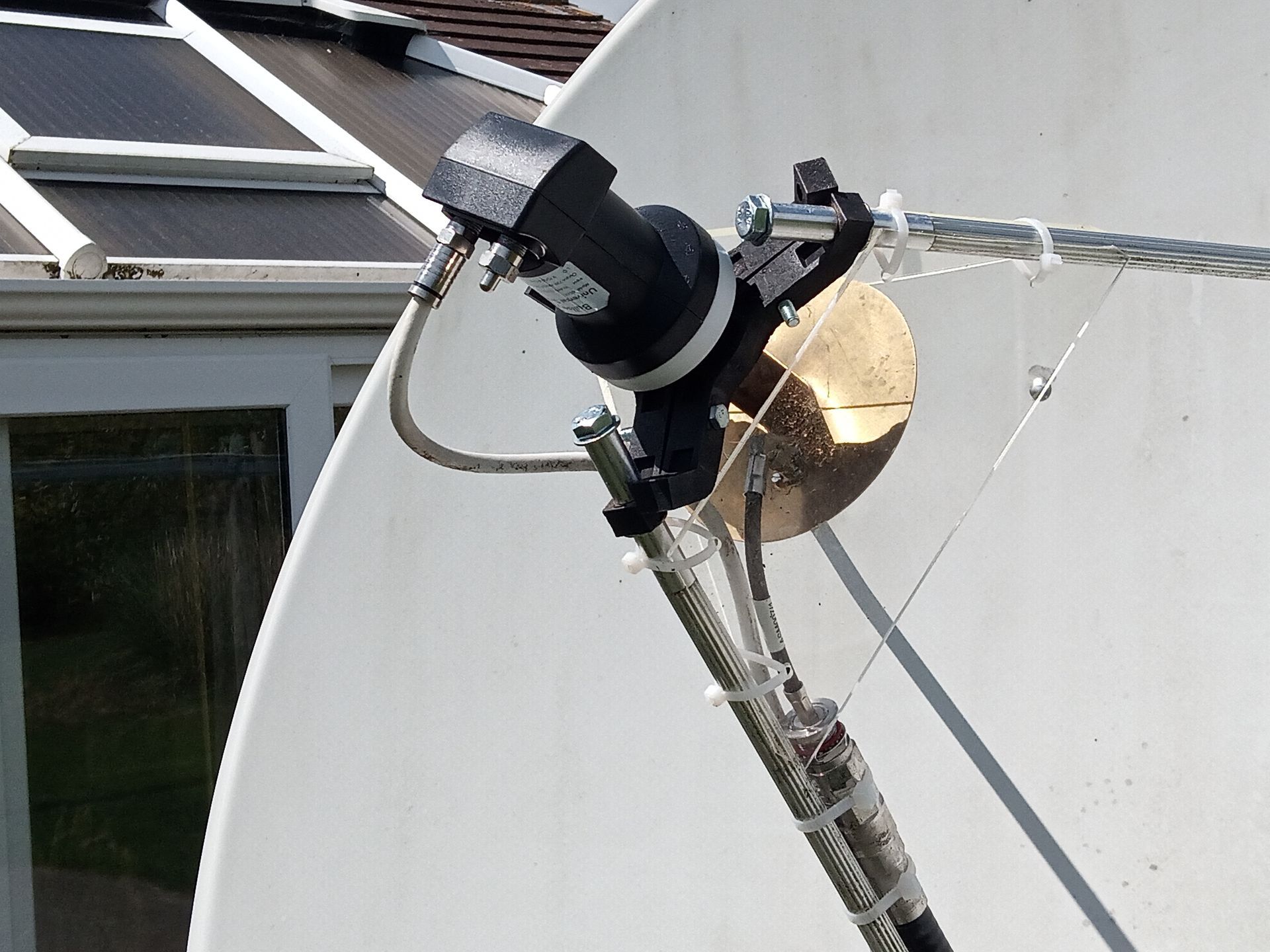
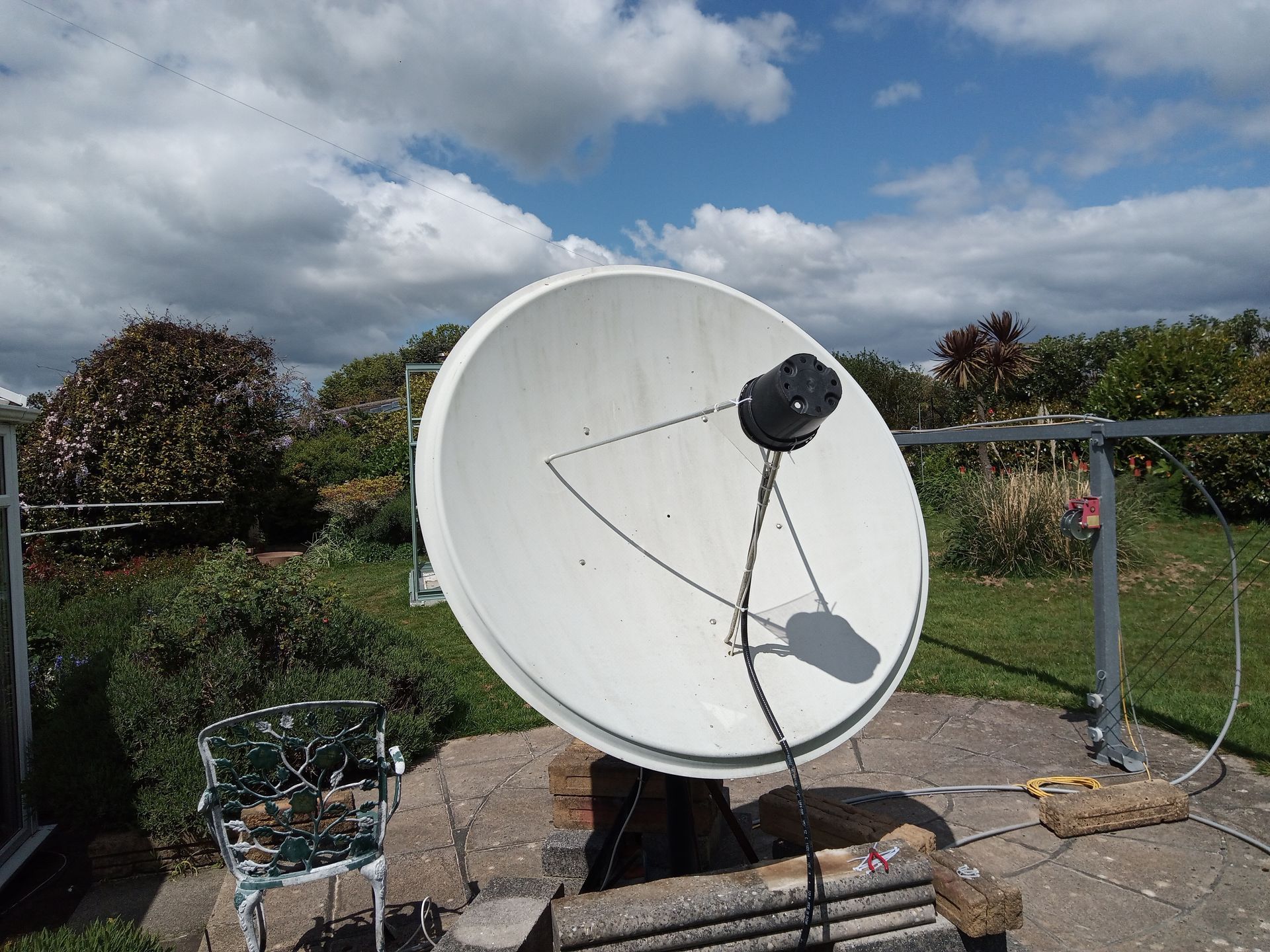
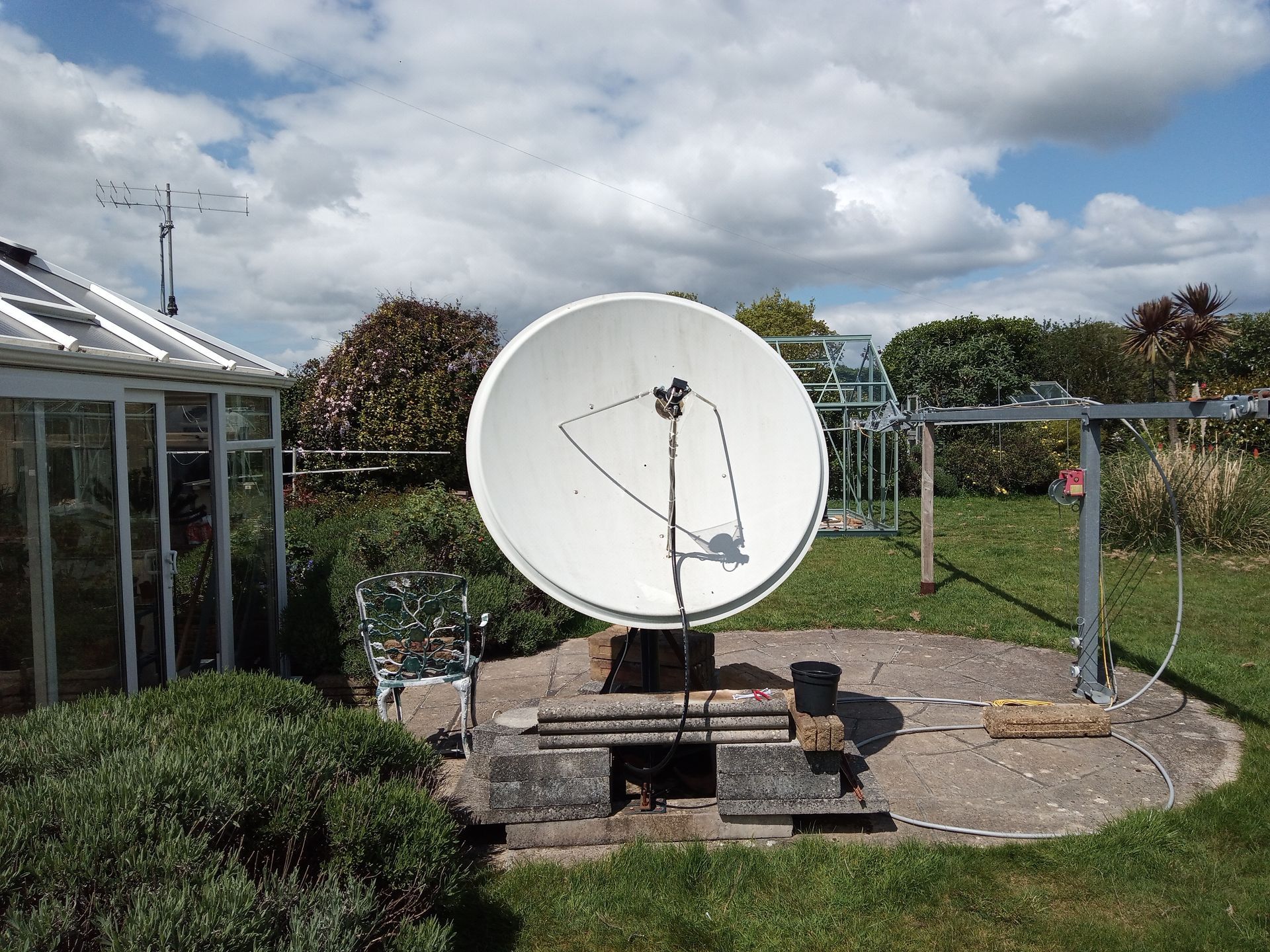
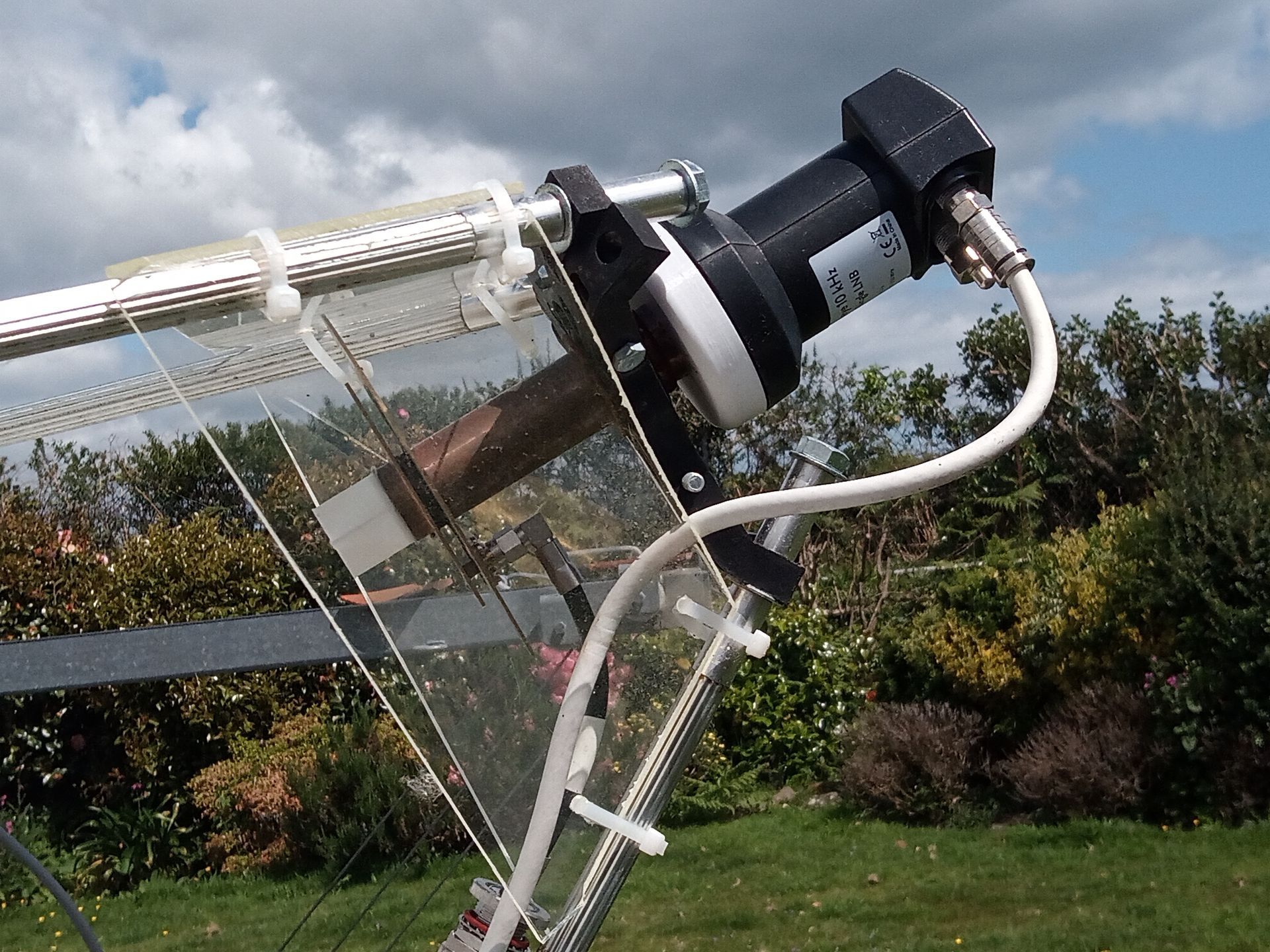
Here you see:

  • 1.4 prime focus dish with ~300kg of ballast.
  • POTY feed.
  • Bullseye LNB.
  • LDF4-50 1/2″ Andrew HELIAX Coaxial Cable, length 10m.
  • A plastic plant pot which keeps the rain off (last image only).


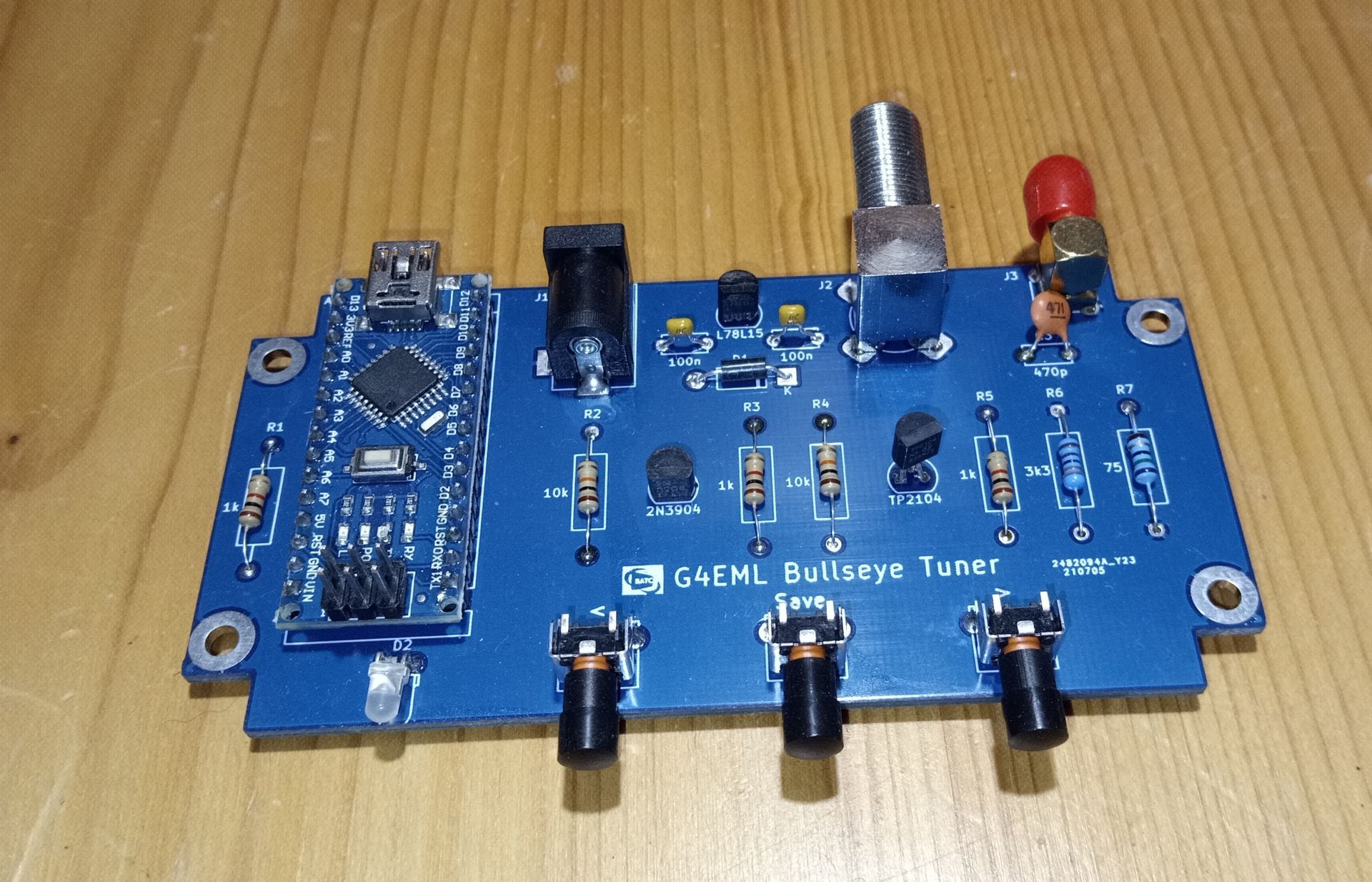
I've had problems with the Bullseye LNBs. They are very good with low phase noise, but the two I own have lost their calibration so a G4EML Bullseye Tuner is used to recalibrate. Many thanks to Mike, G0MJW for building this.
Future

In a month or three I'll be using a LibreSDR. Also, I'm hoping to find a Raven 2.4m dish someday, this would give a gain of approximately 3 (4.77 dB) over the 1.4m dish (compare the surface areas).

Summary

So, that's it. The amplifier puts out far more power than I actually need on DATV - typically running 40w output with plenty in reserve, so I have enough for a good 1,000 ksps transmission.


I'm occasionally on the BATC and WW nets, you have been warned!

By Simon Brown May 21, 2026
Version 1.6.1 This release fixes two fatal bugs in the new DX Spot feature. When the graphics engine is restarted, resources are correctly released. Fixed a resource leak when processing the MoseMove logic.  Downloads are on the World Map page . Version 1.6 This release adds the display of DX Spots. Display spots are submitted to PSK Reporter which in turn are relayed by a MQTT Broker running on a high performance Akamia node. Spot Format Each spot consists of these fields: Sequence Frequency Band Mode Signal level Time stamp Sending station call, square, country Receiving station call, square, country Note: The country is the ADIF country. Spots are displayed as they arrive, currently no on-demand database. Bandwidth To reduce bandwidth from the broker, filtering is required for 80m up to and including 15m. Filtering requires at least one field below to be set in a definition: Receiver callsign, square or country. Sender callsign, square or country. Without filtering the bandwith from the broker could be excessive. For LF and VHF+ no filtering is required due to the lower number of spots sent on these bands. In a later version the bandwidth restriction may be reduced.
By Simon Brown May 20, 2026
Version 1.6 This release adds the display of DX Spots. Display spots are submitted to PSK Reporter which in turn are relayed by a MQTT Broker running on a high performance Akamia node. Spot Format Each spot consists of these fields: Sequence Frequency Band Mode Signal level Time stamp Sending station call, square, country Receiving station call, square, country Note: The country is the ADIF country. Spots are displayed as they arrive, currently no on-demand database. Bandwidth To reduce bandwidth from the broker, filtering is required for 80m up to and including 15m. Filtering requires at least one field below to be set in a definition: Receiver callsign, square or country. Sender callsign, square or country. Without filtering the bandwith from the broker could be excessive. For LF and VHF+ no filtering is required due to the lower number of spots sent on these bands. In a later version the bandwidth restriction may be reduced.
By Simon Brown May 19, 2026
SDR Television v1.1 May 18th, 2026: This is the official v1.1 release , code exactly the same as 1.0.16 which has survived testing for a few weeks. Lots of improvements since the last official kit. As with any software project, there's always room for improvements and new features, but for now here's a stable solution which works well with the QO-100 satellite. Many thanks to Sigi and the DATV test team. Downloads are at the bottom of this page.
By Simon Brown April 12, 2026
SDR Television v1.0.14 April 12th, 2026: A new kit, lots of improvements since the last official kit. As with any software project, there's always room for improvements and new features, but for now here's a stable solution which works well with the QO-100 satellite. Many thanks to Sigi and the DATV test team. Downloads are at the bottom of this page.
By Simon Brown March 13, 2026
SDR Television v1.0.9 March 13th, 2026: A new kit, lots of receive improvements since the last official kit. As with any software project, there's always room for improvements and new features, but for now here's a stable solution which works well with the QO-100 satellite. Many thanks to the DATV test team. Downloads are at the bottom of this page.
By Simon Brown March 11, 2026
First Impressions
By Simon Brown February 13, 2026
SDR Television v1.0.6 February 13th, 2026: A new kit, lots of receive improvements since the last official kit. As with any software project, there's always room for improvements and new features, but for now here's a stable solution which works well with the QO-100 satellite. Downloads are at the bottom of this page.
By Simon Brown February 13, 2026
February 10th, 2026 Pluto Correct the FIR filter definitions, this has improved reception.
By Simon Brown December 27, 2025
Follow These Steps If you're unsure how you add a radio definition to SDR Console, here are the steps you must follow. Start SDR Console (quite obvious really). From the Home tab on the ribbon bar, in the Radio panel click Select Radio , the Select Radio window is displayed. At the bottom right of the Select Radio window, click Definitions... , the Radio Definitions window is displayed. At the top left of the Radio Definitions window click Search , a list of all supported radios is displayed. Select the radio you want to add, for example Airspy, SDRplay. In this example the RX-888 will be added. When you select an option from the list in step 4, either a radio is found or not. If the radio is found, a window is displayed with the option of adding the new definition. If the radio is not found, an error window is displayed. If this is a radio connected by USB, make sure the USB port can supply enough power. After adding the definition, click Save in the Radio Definitions window. You can now select your radio in the Select Radio window. That's all folks! SDRplay If you are using a SDRplay you select SDRplay > V3 in step 5 above. Make sure you have also installed either SDRconnect , SDRuno or the latest API (currently 3.15 at the time of writing).