SDR Television v1.0.9

Simon Brown • March 13, 2026

SDR Television v1.0.9


March 13th, 2026: A new kit, lots of receive improvements since the last official kit. As with any software project, there's always room for improvements and new features, but for now here's a stable solution which works well with the QO-100 satellite.


Many thanks to the DATV test team.


Downloads are at the bottom of this page.


To Do

The items below will be completed for the release of v1.1, target date is April/May 2026.


  • Redesign IQ from timing error detector to the S2 frame processing. This will save considerable CPU resources when searching for a signal.
  • Change frequency tracking to add a NCO (rotator) after the decimation (NCO, Downconverter). This will help with signal locking and possible decoding of weak signals.

Release Notes

v1.0.9

Receive

  • Replaced Gardner timing error detection (TED) with a corrected design based on the book "Digital Communications: A Discrete-Time Approach" by Michael Rice. This uses a second-order continuous-time phase locked loop (figure C.2.2). This implementation is designed to be robust when unexpected IQ samples are processed.
  • AGC Target default set to 1.
  • Changed IQ Imbalance design, now using code from Airspy (Youssef Touil, Leif Asbrink).
  • Removed 'None' from the list of bandpass filter options as it is superfluous.


General

  • Fixed startup error "Encountered an improper argument" when no microphones are available.


User Interface

  • When transmitting, the resolution and frame rate are shown in the transmit timer. If either value is greater than the recommended default, a warning symbol is added.


v1.0.8

Receive

  • Fixed a bug with RMS calculation in IQ Imbalance.
  • Tuned IQ Imbalance for weak signals.


v1.0.7

User Interface

  • The audio and video windows now resize the selection dropdown to the width of the main windows.


Receive

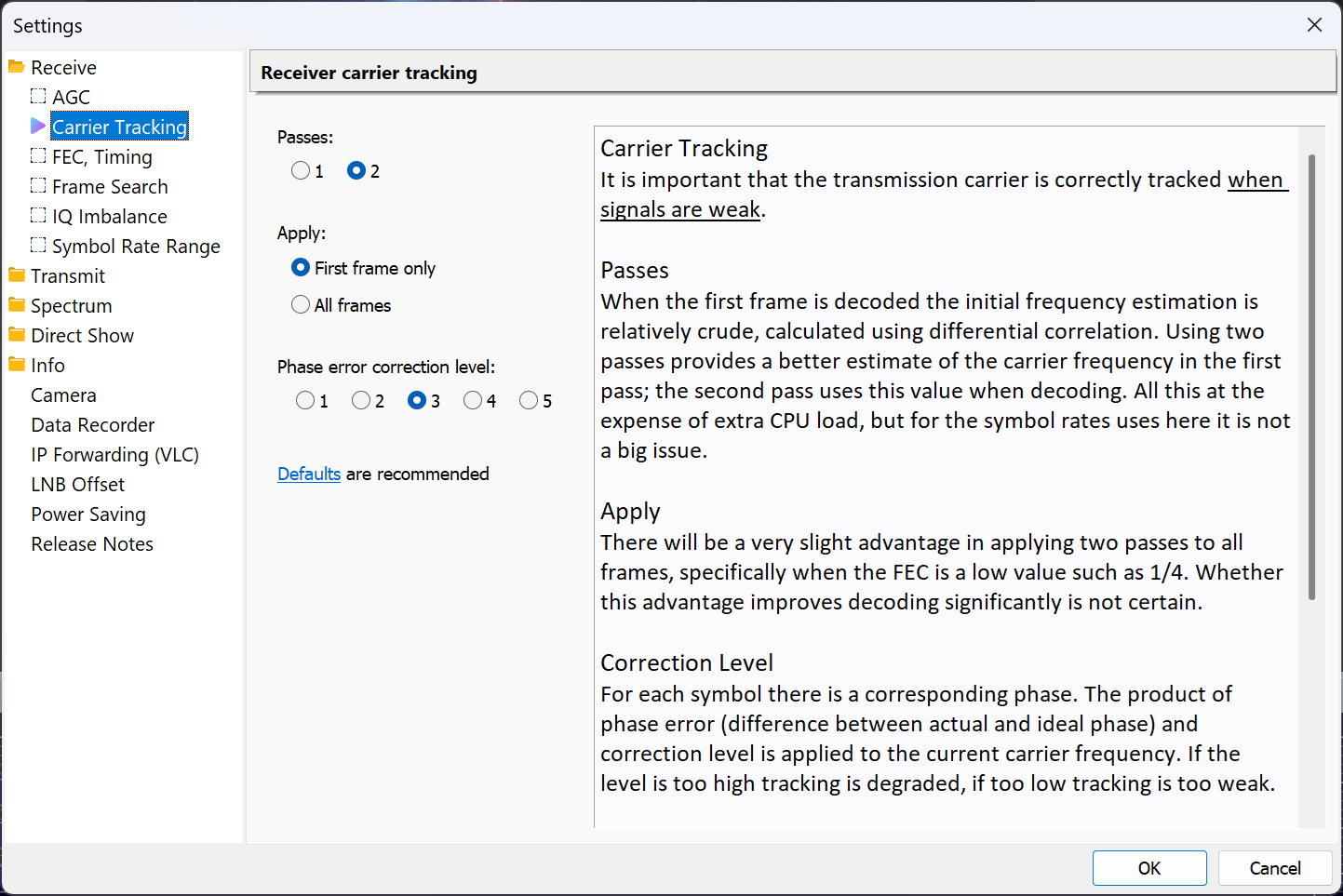
  • Improved carrier tracking, used when there are no pilots. This benefits weak signals with low FEC values, for example FEC (LDPC) 1/4.
SDR Television v1.0.6


February 13th, 2026: A new kit, lots of receive improvements since the last official kit. As with any software project, there's always room for improvements and new features, but for now here's a stable solution which works well with the QO-100 satellite.


Downloads are at the bottom of this page.


Release Notes

v1.0.6


Transmit

A FIR filter at the end of the IQ generation processing was too narrow and too sharp, must have been degrading reception of signals created with previous kits. This filter is now wider and uses fewer taps.


Pluto Support

(This is part of SDR Console.) The FIR filter support for the Pluto has been corrected:

  • Images reduced if not completely removed.
  • Transmit now works reliably when the Pluto bandwidth is greater than 2 MHz.
  • The digital filter uses a FIR design from Analog Devices, taken from the file ad9361_baseband_auto_rate.c in the libad9361-iio library.
  • The analog filter is unchanged. It will appear wider than expected to allow for roll-off.


With QO-100 and other DVB-S2 operation there really is little if any need for any filtering.


v1.0.5


Receive

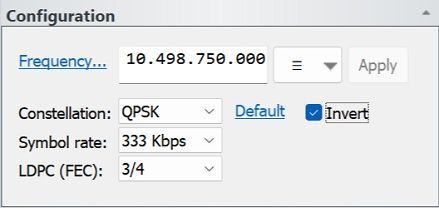
  • Added optional inversion of the incoming signal inversion (swap I and Q).


Transmit

  • Now setting the Quantization Parameter (QP) to the default value of 26. I had come across this before but never really understood what it does. I was just querying the value, not trying to set it.


https://www.oupree.com/knowledge/Whats-Quantization-Parameter-QP-in-Video-Encoder.html


v1.0.4


Receive

  • Improved initial frequency detection when searching for a signal.
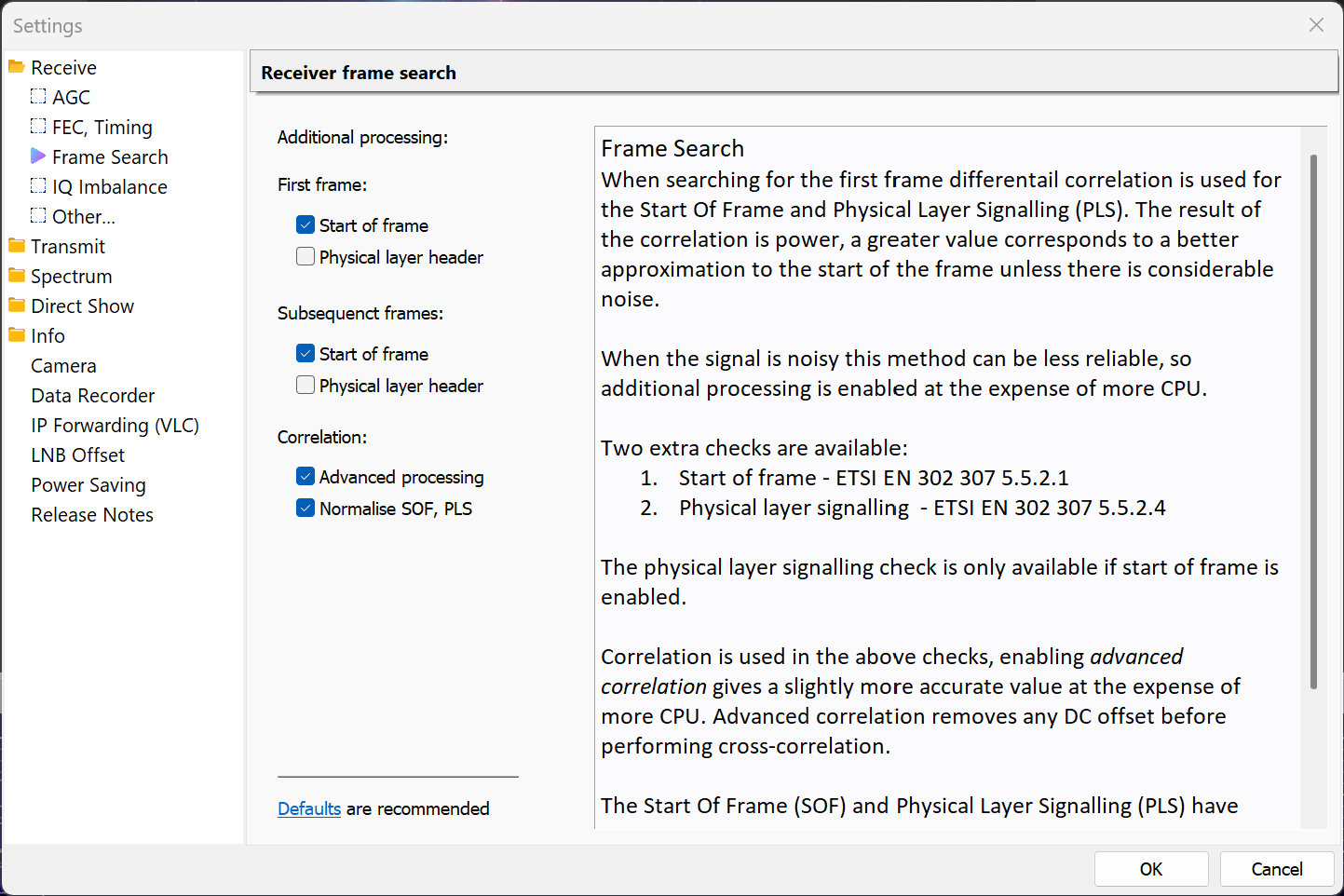
  • Optional advanced signal detection options.
  • Found and fixed a bug causing a lockup when a 188 byte packet checksum failed.
v1.0.3


Testing

  • Added optional Gaussian noise when in loopback mode, this is for development use only.


User Interface

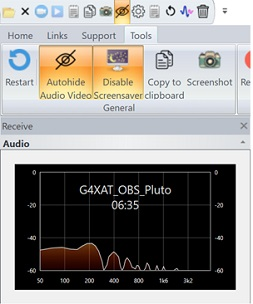
  • Added display of elapsed time to the Receive Audio window. Gaps in reception of up to 10 seconds are allowed. Later use of AI may support a 'speech quality' metric, determined from quality and technical content.
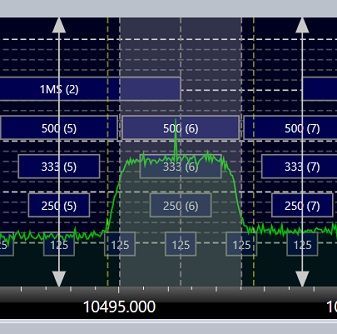
  • Added tuning bars in the spectrum, these show the frequency and symbol rate for the current mouse position.
  • Added extra categories in the Log window, now Main, Radio, Transmit, Debug.
  • Audio and video windows optionally hide controls when the cursor leaves the corresponding window.


Receiver

  • Added initial Gardner timing error detection (TED).
  • Changed AGC algorithm, target output now ~0.7 using 32-bit IEEE floats.
  • Redesign #1 of the IQ to Transport Stream (TS) processing, still plenty of refactoring to do.
  • Changed default LDPC algorithm.
  • Fixed BCH implementation which was not correcting any bits, also not detecting errors.
  • Changed default matched filter (RRC) defaults.
  • Added Quadrature Imbalance correction.
  • Interpolation filter roll-off dynamically updated with the value in the base-band header byte MATYPE-1. This value is also shown in the Decoding overlay and Decode Status window.
  • Refined the list of receive filter bandwidths.


AGC

  • Added selectable reference level.
  • Added alternative algorithm, Feed forward (the default algorithm is Feedback). Feed forward is experimental.
  • Searching for a signal in the noise uses considerable CPU, especially at higher symbol rates. The spectrum data is now used to detect the possible presence of a signal, thus saving CPU while a signal is not present. When a signal is believed to be present:
  • The arrows at the top, bottom of the bandwidth display are filled in,
  • The receiver is enabled.


Transmit

  • The transmitted BB Header roll-off value in byte MATYPE-1 now matches the roll-off value used in the filter, rather than preset to 0.35.
  • Removed 12-bit camera formats, problem discovered using a new DELL laptop.
  • Added optional transmit signal inversion (swap I and Q).


Pluto

  • Pluto RX FIR Filter gain set to 6, example: "RX 3 GAIN 6 DEC 1 TX 3 GAIN 0 INT 1 ..."
  • Removed Pluto/Libre bandwidths below 1.5 MHz.
  • Changed filter taps for bandwidths above 2MHz, was 64 now 128. Signal is now cleaner, ~40dBm SNR.


From the AD9363 product sheet: "The AD9363 transmitters use a direct conversion architecture that achieves high modulation accuracy with ultralow noise. This transmitter design produces a best-in-class Tx EVM of −34 dB, allowing significant system margin for the external power amplifier (PA) selection."
v1.0.2

  • Improved receiver sensitivity, still not as good as it can be.


v1.0.1

  • Fixed fatal bug in receive audio AGC when the output device sample rate was 192kHz.

Download

This minimum version of SDR Radio is shown below. Only download if SDR Television displays an error message when starting. SDR Radio has not changed since v1.0.6 was released.


SDR Television

Download v1.0.9 from either:


SDR Television

Previous version. Download v1.0.6 from either:


SDR Radio

V1.0.9 and V1.0.6 require a SDR Radio 64-bit kit build 3972 February 10th, 2026 or any newer kit.


By Simon Brown August 27, 2026
August 27th, 2026 Default Audio Device When changing the default audio device selection in Windows, SDR Console was following the change but not reapplying the latest volume change. Example: I start playback, adjust the volume, then after a while enable my Bluetooth speaker an go outside. When the speaker is enabled SDR Console switches but didn't apply the change in volume. RDS processing AGC replaced with normalisation, Hilbert filter redesigned. Shouldn't make much difference. MIDI Startup I believe I have found the cause of the slow start of SDR Console. As part of the SDR Console startup I always call midiInGetNumDevs() to get the number of attached MIDI devices, even if the user hasn't enabled MIDI. At some stage in 2026 Microsoft introduced a bug where the first call to midiInGetNumDevs() after starting the computer results in blocking all asynchronous activity if there are no MIDI devices connected. If there are MIDI devices connected then it returns after ~100ms. I now only call midiInGetNumDevs() on startup if there are user definitions. Some programs are experiencing even worse behaviour. There should be a Windows update soon with a fix, but for now the kit below should resolve this problem in 99% of cases. Downloads Download beta kits here .
By Simon Brown August 26, 2026
QO-100 Footprints
By Simon Brown August 26, 2026
SDR Television v1.1.4 User Interface Rearranged ribbon bar, added Forward Error Correction (FEC) to the Home panel. Receiver Currently trying to improve LDPC decoding for low SNR. Part of this work involves reducing CPU load in the LDPC decoder. Planning to add advanced decoding in v1.1.5. Changed the list of FEC / LDPC algorithms, removing min-sum and min-sum correction. Optimised offset min-sum algorithm to reduce CPU load. Optimised Bose-Chaudhuri-Hocquenghem (BCH) processing. Added sum-product. Corrected LLR soft scaling for QPSK. Changed default RRC filter length to 12 symbols, previous value of 30 was too long. Updated Feed-Forward AGC with a design from CoPilot. Optimised Gardner TED RRC filter length, now 25 taps. Increased the receive RRC filter rolloff factor by 25% to capture more energy with weak signals. Reset LDPC after 1 second of inactivity. FEC - LDPC There are now two LDPC algorithms, Offset min-sum, and Sum-product. Sum-product is more sensitive than offset min-sum but currently doesn't work at all for FEC rates lower than 1/2 (1/4, 1/3 and 2/5). When sum-product is selected and the rate is lower than 1/2 then offset min-sum is used. The default damping settings for sum-product are shown below.  The aim is to work on sum-product with the help of ChatGPT in 2027 to get the maximum possible sensitivity. Downloads are at the bottom of this page.
By Simon Brown July 27, 2026
July 26th, 2026 Reuter RSR200B Added initial support. Fobos Finalised support for Fobos SDR, only the Agile firmware is supported. Some early Fobos SDR units had HF2 and HF1 swapped on the case printing. FFT When using NVIDIA CUDA for the FFT the returned buffers now use memory from the heap rather than pinned memory (*). Reduced the CPU load in the FFT Helper DLL. The data from the FFT (CUDA, IPP, OpenCL) is processed to match the display DIPs. When running Broadcast-FM with x4 resolution there were 550 FFT bins per display pixel (DIP). These 550 bins were averaged which takes quite some processing, especially when running a matrix display with many receivers enabled. I now down-sample the bins to a maximum of (about) 32 which doesn't affect the display or any DSP but does reduce the CPU. Frequency Database Loading of the frequency database into memory-mapped backing now much faster. Pluto TX Doppler support for Pluto / LibreSDR. Have tested this by adding debug info, seems OK 🙂 . RDS Added variable font size in the RDS editor window. Forced uppercase of PS text in the RDS Editor removed. Change to RDS Logfile updates while the editor is open & visible. Updates are now allowed, previously not so. Recordings Fixed font size error in the playback, navigation window (was incorrect logic). When starting the video recorder a sanity check makes sure the selected folder exists and is accessible. Satellite Satellite definition file format has changed, no need to update your settings but support for the new OMM (.xml) format is included. I'm hosting satellite data on my (new) Akamai server, these is currently a cache of the Celestrak data. I'll add a web page soon which explains what's been happening. Transmit Audio mute is now a per-profile setting. Other Fixed an error opening the matrix display while the SDR was already started. Crash when selecting "Configure" from the Select Radio window fixed. Does not create an error when the graphics driver restarts.
By Simon Brown July 10, 2026
SDR Television v1.1.3 User Interface Fixed erroneous cursor flicker in Settings help text and Receive, Transmit panes. Fixed error in the spectrum squelch logic. Minor fix/improvement in QPSK LUT lookup for low values. Receiver Use highest possible quality decimation for symbol rates of 333ksps and lower. Added optional Doppler correction for LEO/MEO satellites such as MARMOTsat (July 2026). This will most probably be tweaked when the DVB-S2 transmissions started. Downloads are at the bottom of this page.
By Simon Brown June 12, 2026
SDR Television v1.1.2 June 12th, 2026: Add option to disable audio, thus making more bits available for video, this is for use in DATV contests. Note: 66 ksps sample rate is still experimental, will be improved. Downloads are at the bottom of this page. 
By Simon Brown June 9, 2026
SDR Television v1.1.1 June 9th, 2026: Fixes a fatal bug in the Settings, Camera page. Downloads are at the bottom of this page.
By Simon Brown May 23, 2026
Version 1.6.2 This release fixes two bugs in the new DX Spot feature. The spot age logic incorrectly affected spot display. When the map was zoomed, station markers off the map would be displayed at the top left (0, 0).  Downloads are on the World Map page . Version 1.6.1 This release fixes two fatal bugs in the new DX Spot feature. When the graphics engine is restarted, resources are correctly released. Fixed a resource leak when processing the MoseMove logic. Downloads are on the World Map page . Version 1.6 This release adds the display of DX Spots. Display spots are submitted to PSK Reporter which in turn are relayed by a MQTT Broker running on a high performance Akamia node. Spot Format Each spot consists of these fields: Sequence Frequency Band Mode Signal level Time stamp Sending station call, square, country Receiving station call, square, country Note: The country is the ADIF country. Spots are displayed as they arrive, currently no on-demand database. Bandwidth To reduce bandwidth from the broker, filtering is required for 80m up to and including 15m. Filtering requires at least one field below to be set in a definition: Receiver callsign, square or country. Sender callsign, square or country. Without filtering the bandwith from the broker could be excessive. For LF and VHF+ no filtering is required due to the lower number of spots sent on these bands. In a later version the bandwidth restriction may be reduced.
By Simon Brown May 21, 2026
Version 1.6.1 This release fixes two fatal bugs in the new DX Spot feature. When the graphics engine is restarted, resources are correctly released. Fixed a resource leak when processing the MoseMove logic.  Downloads are on the World Map page . Version 1.6 This release adds the display of DX Spots. Display spots are submitted to PSK Reporter which in turn are relayed by a MQTT Broker running on a high performance Akamia node. Spot Format Each spot consists of these fields: Sequence Frequency Band Mode Signal level Time stamp Sending station call, square, country Receiving station call, square, country Note: The country is the ADIF country. Spots are displayed as they arrive, currently no on-demand database. Bandwidth To reduce bandwidth from the broker, filtering is required for 80m up to and including 15m. Filtering requires at least one field below to be set in a definition: Receiver callsign, square or country. Sender callsign, square or country. Without filtering the bandwith from the broker could be excessive. For LF and VHF+ no filtering is required due to the lower number of spots sent on these bands. In a later version the bandwidth restriction may be reduced.